Something fresh is coming to NDHS…
1. Start Sign-Up – Visit theyaycompany.com, and click the
yellow “Sign Up” button in the top right-hand corner.
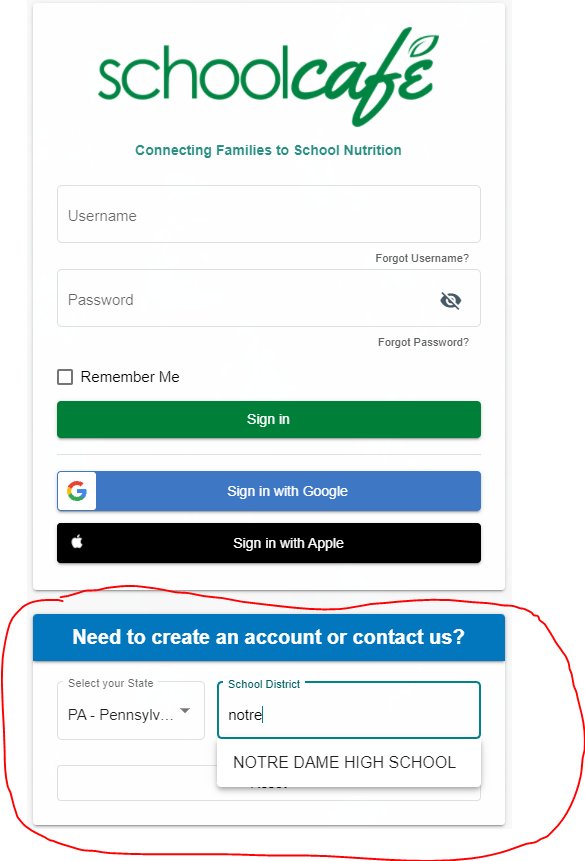
2. Enter Your School – Search for your school’s name in the
search field inside the green box, and then click “Next”.
3. Create Your Account – Enter your information (the
account holder + account payee) by completing the fields.
Then click “Add Luncher”.
3. Create Your First Luncher- We call each individual who
dines with us at Yay a “Luncher”. Enter the information about
your first Luncher in the “Add Luncher” Fields, including their
First + Last Name, Grade Level, and Teacher Name.
If you would like for this student to have access to make on-site
purchases in the Yay Cafe, create your very own Cafe ID (a 5-7
digit number that your student can remember), and set an
optional Daily Spending Limit (purchases above this amount
will not be allowed each day). If you would not like for to your
luncher to access Cafe, do not enter a Cafe ID.
4. Add a Luncher or Complete Registration: If you have
more than one individual being served by Yay, click the blue
“Add another luncher” button and complete the Add Luncher
page for that individual. If you are finished adding Lunchers,
click “Complete Registration”.